

Plugins & Modules
Shopware OCI & cXML PunchOut Plugin
Shopware is a modern platform that offers extensive capabilities for a brand's visual presentation. It is a flexible system that grows alongside small to medium-sized businesses looking for more freedom in design and functionality than standard software packages can offer. Thanks to its modular structure, the platform can be easily tailored to specific customer experience requirements.
Abeta has developed its proprietary Shopware plugin in collaboration with an experienced partner. This allows you to quickly offer PunchOut capabilities from your Shopware online store!
#Why choose the Abeta plugin for Shopware?
The benefits of our Shopware integration at a glance:
- Maintains store speed: Shopware calculates prices and conditions via its internal Rule Builder. Handling large volumes of B2B data can put a heavy load on the database and slow down the store. Our plugin processes the OCI and cXML fields in the background via the Abeta middleware, ensuring your store remains fast.
- Safe and secure updates: Major Shopware updates often change the system's core, which can break traditional plugins. Because our software runs within the middleware rather than inside the Shopware core, your PunchOut connection remains fully functional even after a store update.
- Separation of B2B features: Shopware includes its own features for budgets and user permissions. Our plugin keeps PunchOut users separate from these native systems. Regular clients use the standard store, while PunchOut orders are routed directly back to your customer's procurement system via the middleware.
#How does the Shopware OCI plugin work?
Abeta’s Shopware plugin connects your online store via our middleware to your customers' procurement software (such as Coupa, SAP Ariba, Elari and AFAS). Abeta bridges the gap between the online store and the procurement system. This process is completely transparent to the customer, who experiences it as a direct connection to the store.
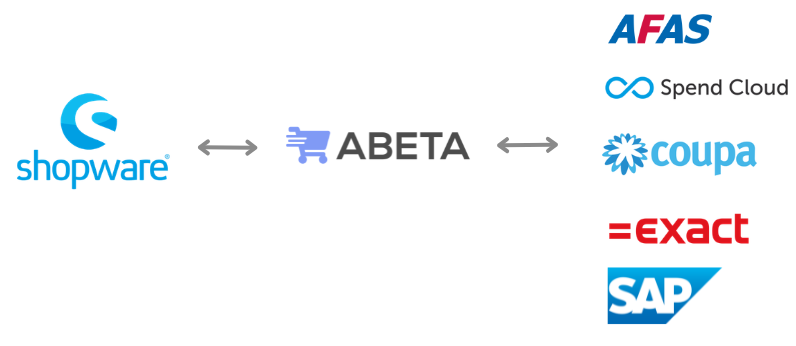
This process consists of 3 steps:
#1. Authentication / Login
When a customer wants to log in, their procurement system sends a request. This OCI or cXML PunchOut request is received by Abeta and, after verification, forwarded to the Shopware OCI plugin. The user is then automatically logged into the store.
#2. Cart transfer (PunchOut)
Our plugin ensures that the PunchOut user does not complete the checkout within the online store, but transfers the shopping cart back to the procurement system. The Abeta middleware can apply the correct data mapping or perform necessary data adjustments and translations during this step.
#3. Purchase order receiving (optional)
The purchase order can be sent directly back to the Shopware store or an underlying ERP system. The middleware ensures that orders from different procurement systems are correctly delivered into your Shopware environment.
#Get started
Would you like to learn more about the capabilities of the OCI plugin for Shopware? Please contact us. We are happy to demonstrate how your customers can order via OCI and how Abeta can support your business.