

Plugins & Modules
OpenCart OCI & cXML PunchOut Plugin
OpenCart is an open-source platform that allows you to manage multiple online stores from a single dashboard. Abeta has developed its own plugin to add OCI or cXML Punchout capabilities to your OpenCart store, allowing you to connect to your B2B customers' procurement systems.
#Why choose the Abeta plugin for OpenCart?
- Maintain site speed: Large volumes of B2B data can slow down the OpenCart database. Because our plugin handles this data traffic via the Abeta middleware, your online store maintains its speed.
- No maintenance after platform updates: Because the specific integrations with your customers' procurement systems run within the Abeta middleware rather than in OpenCart itself, updates on your client's end do not affect the PunchOut capabilities.
- One connection for all procurement systems: You do not need to install separate plugins in OpenCart for each customer's specific software. A single PunchOut connection via Abeta links you to all of them.
#How does the OpenCart OCI plugin work?
The plugin connects your OpenCart store via the middleware to your customers' procurement software (such as SAP Ariba, Coupa, AFAS and Elari). Abeta bridges the gap between your online store and the procurement system. This process is completely transparent to the customer, who experiences it as a direct connection to the store.
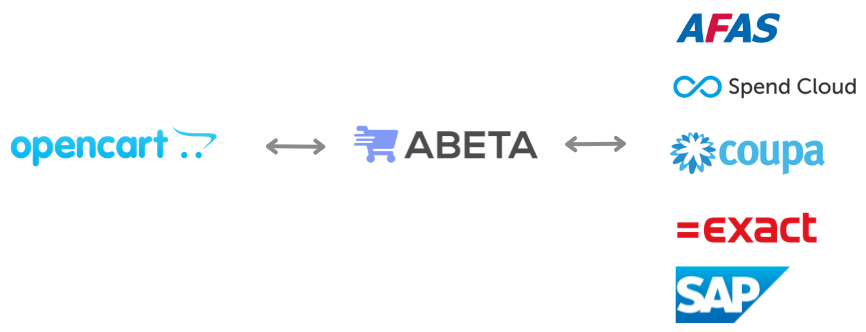
This process consists of 3 steps:
#1. Authentication / Login
The procurement system sends a login request. Abeta verifies this request and automatically logs the user into the OpenCart store.
#2. Cart transfer (PunchOut)
Our plugin ensures that the PunchOut user does not complete the checkout within the store. Instead of standard checkout buttons, the plugin transfers the cart data back to the procurement system. The Abeta middleware then applies the correct data mapping, adjustments, and translations.
#3. Purchase order receiving (optional)
The purchase order can be sent directly back to the OpenCart store or an underlying ERP system. The middleware ensures that orders from different procurement systems are correctly delivered into your OpenCart environment.
#Get started
Would you like to know how to connect your OpenCart store to your customers' procurement systems? Please contact us to discuss the possibilities.