

Connection
Setting up a connection
In this article we explain how to set up a new connection with a linked webshop. To do this, you must be logged in to the Abeta Application.
#Setting up a connection
#1: Connections overview
Click the Customer Connections button in the left-hand menu. The page that appears shows all active connections.
#2: New connection
Click the New Customer Connection button to create a new connection.
Fill in the general fields:
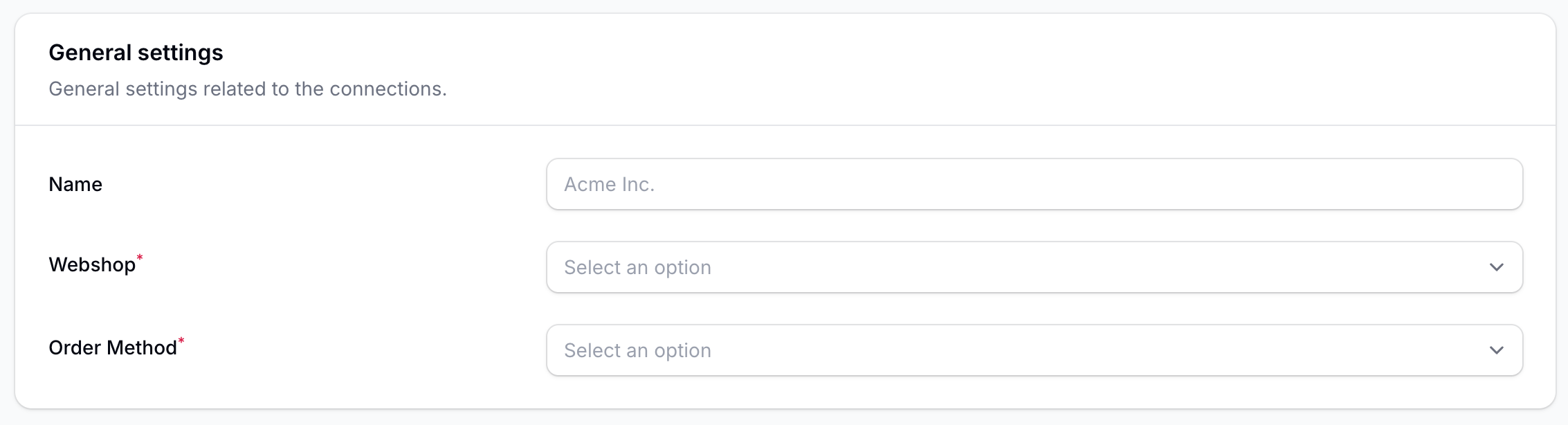
- Name: The name of the connection. We recommend using the customer name or another reference here.
- Webshop: Select the webshop the customer wants to connect with.
- Order Method: Select the method by which the order confirmation should be received. Note: this field is required, but does not necessarily have to go through Abeta.
Fill in the main account details:
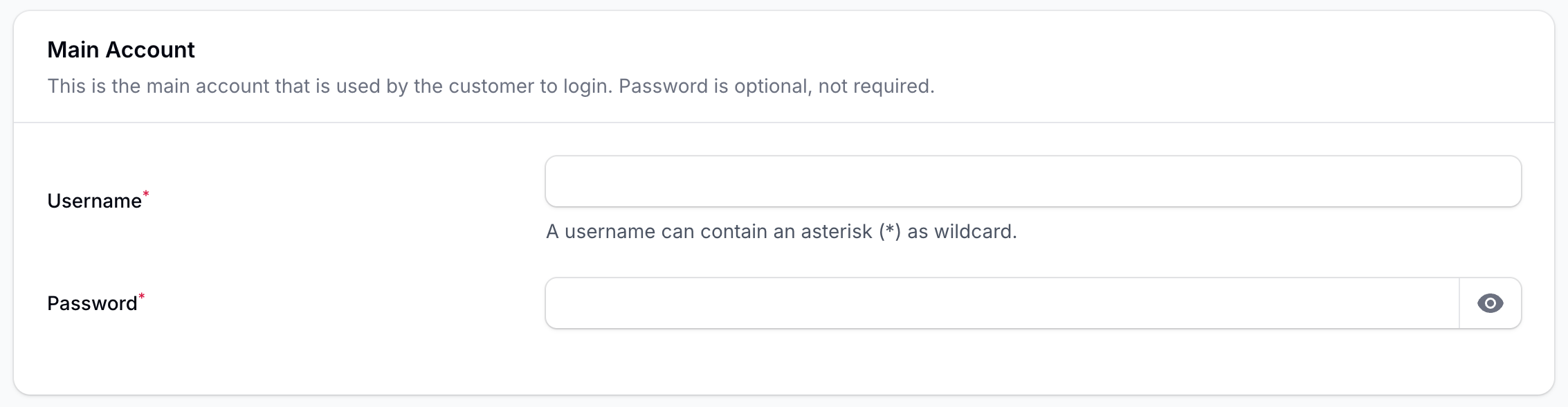
- Username: The username the customer will use to log in.
- Password: The password for the customer account.
(If the username and password are provided, Abeta will always perform an initial check of the credentials before forwarding them to the webshop.)
Create the connection by clicking the Create button.
#3: Test the connection
If the previous steps have been completed successfully, the account will be created and displayed. In the top-right corner there is a Punchout as customer button, which can be used to test whether the connection is working correctly. Note: sometimes the page needs to be refreshed before this button works properly.